
Ford steering wheel audio controls guide and video
Modern Ford vehicles are designed to make driving safer and more convenient, and that includes steering wheel audio controls that let you adjust your sound, phone, and media settings without taking your hands off the wheel. If you’re driving a new Ford from Sherwood Ford in Sherwood Park, Alberta, here’s our guide on how to use Ford steering wheel audio controls.
Understanding Ford steering wheel audio controls
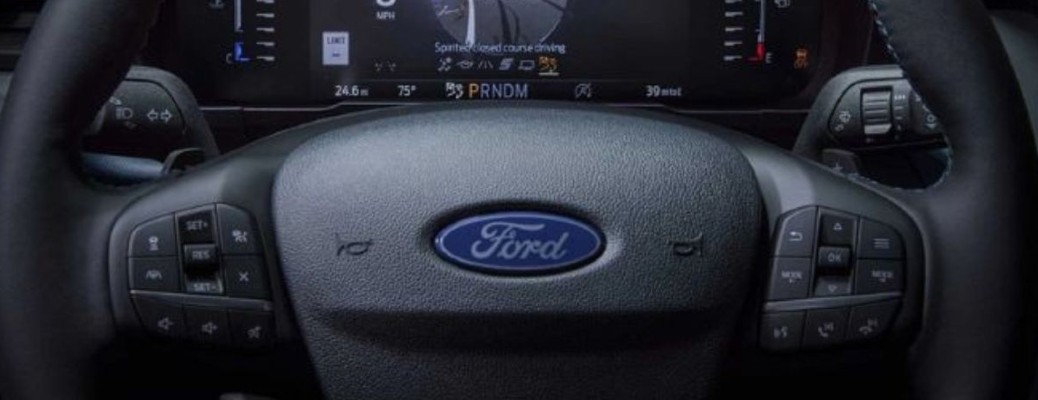
Ford steering wheel controls are intuitively placed and easy to reach, allowing you to control entertainment, calls, and navigation features while keeping your eyes on the road. The exact design and layout can vary depending on your vehicle’s year and model, but most include the following buttons:
Common Ford steering wheel audio controls
- Voice Control: Activate Voice Recognition by pressing the button labeled “Voice” or marked with an icon. You can use this to issue commands like changing the radio station, making a phone call, or selecting a playlist hands-free.
- Volume Control: Usually marked with “+” and “–” symbols, this control adjusts your audio volume. Turn it up for your favorite song or down for a quiet conversation.
- Seek Control: Labeled with left/right double arrows or a four-way arrow, this lets you move between radio stations, skip tracks, or navigate menu options on your SYNC® system.
- Media Control: Depending on the model, you’ll see “Mode,” “Media,” “Menu,” or an icon of a music note. This button lets you toggle between AM/FM radio, Bluetooth audio, USB, CD player, or other connected devices.
- Phone Control: Identified by a phone icon or arrow, this control allows you to answer or end calls, or open your phone menu when connected via SYNC®.
- OK Control: Marked with either “OK” or an icon, this button is used to confirm menu selections within your vehicle’s infotainment display.
💡 Tip: Some newer Ford models even feature touchpads on the steering wheel, allowing smoother navigation and control through simple swipes or taps. See the video below to learn more.
Why use steering wheel controls?
Steering wheel audio controls are more than a convenience feature; they’re a safety enhancement. With these buttons, you can:
- Keep both hands on the wheel
- Minimize distractions
- Control entertainment and communication easily
- Interact seamlessly with SYNC® voice-activated technology
These features can make a big difference in comfort and focus during your drives around Sherwood Park, Edmonton, or Fort Saskatchewan.
FAQ: Ford steering wheel audio controls
Check your SYNC® connection and make sure voice commands are enabled in your vehicle’s settings. If issues persist, Sherwood Ford’s service team can help troubleshoot.
Some Ford models let you personalize button functions through the infotainment menu. Check your owner’s manual or ask our team for help.
The Bluetooth device’s volume may need adjustment separately. Try syncing the levels on both your phone and vehicle system.
Nearly all modern Ford vehicles, including the F-150, Escape, Bronco Sport, and Explorer, come standard with steering wheel audio and voice controls.
Ford Digital Experience: Audio Controls video
Visit Sherwood Ford in Sherwood Park, AB
At Sherwood Ford, we’re here to help you get the most out of your car’s advanced technology. Whether you’re using voice commands, connecting your smartphone, or setting up steering wheel controls, our friendly team is here to help.
Visit us today in Sherwood Park, Alberta, to explore the latest Ford models or enjoy personalized tech assistance from experts.

